Hostinger Referral
Get 20% off the best available price at Hostinger using our Hostinger referral link above or here. Click the link and the promo code will be automatically applied at checkout. Note if you do not see the discount open a new tab using the link and add items to basket again.

Hostinger is commonly chosen by:
- People launching their first website
- Small businesses wanting an affordable, reliable presence online
- WordPress users who want simple setup + performance tooling
- Developers who want VPS hosting without enterprise pricing
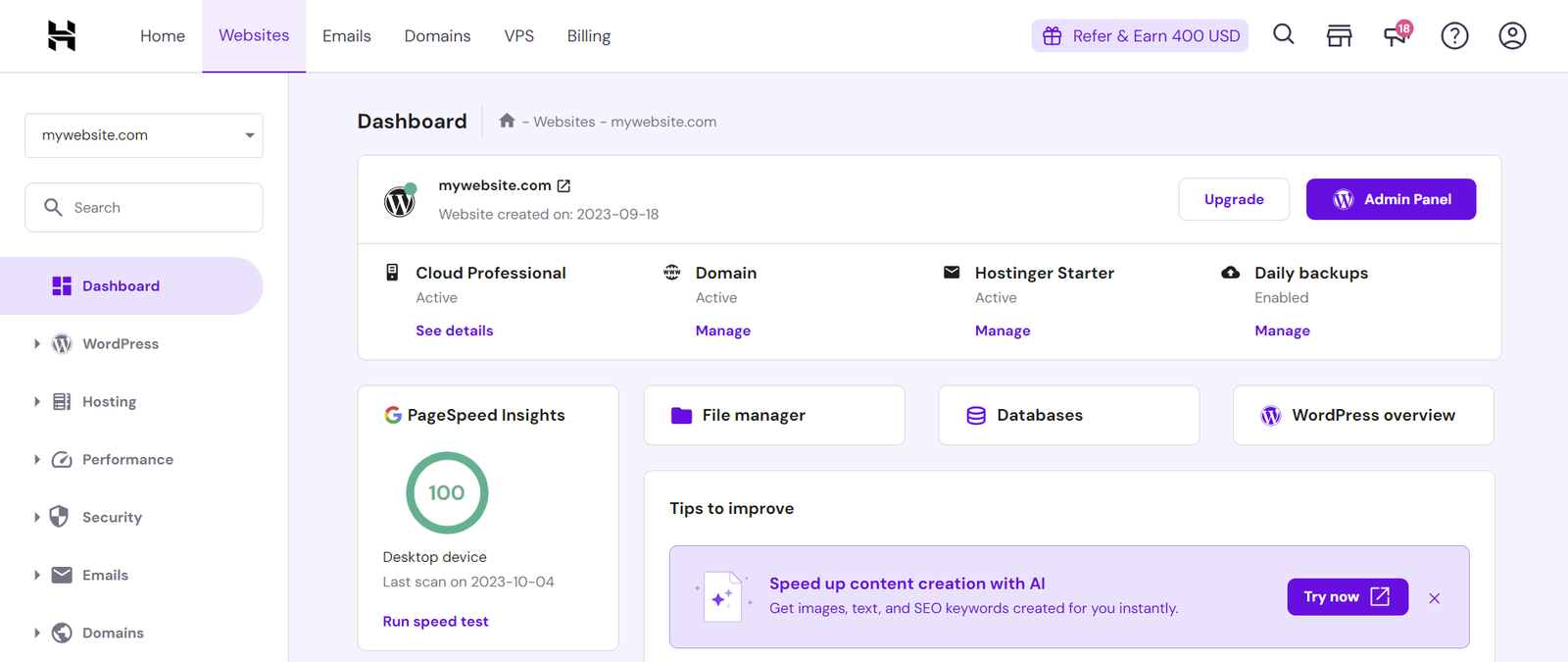
Instead of the classic cPanel interface used by many hosts, Hostinger uses its own dashboard (often referred to as hPanel). For most beginners, this feels cleaner and easier to navigate. For experienced users, it can take a short adjustment period—especially if you’re used to cPanel workflows.
What services are available on Hostinger?
Hostinger offers several categories of hosting and website services. The best choice depends on your traffic, website type, and how hands-on you want to be.
1) Shared web hosting
This is typically Hostinger’s most popular “starter” option.
What it is: Your website lives on a server shared with other websites.
Best for: New websites, small blogs, portfolio sites, landing pages, and low-to-moderate traffic business sites.
Typical features (vary by plan):
- Easy installers for WordPress and other platforms
- SSL (often included)
- File manager, FTP access, databases
- Basic performance and caching features
- Backups (frequency depends on the tier)
- Email accounts on many plans
When it’s not ideal: Busy WooCommerce stores, high-traffic blogs, or resource-heavy plugin setups often outgrow entry shared plans.
2) WordPress hosting
Hostinger’s WordPress hosting is designed for people who specifically want WordPress with a smoother setup and some WordPress-focused optimisations.
Best for: WordPress sites where you want convenience and speed without managing a server.
Common WordPress-focused features:
- Simple WordPress installation and onboarding
- Migration tools (to move from another host)
- Performance features geared toward WordPress
- Staging and advanced tooling on higher tiers (varies)
This is usually best described as WordPress-friendly hosting rather than fully “done-for-you” managed WordPress. You still manage themes, plugins, and content, but the platform tries to make the operational side easier.
3) Cloud hosting
Cloud hosting is a step up from shared hosting, generally giving you more dedicated resources and better consistency under load.
Best for: Growing sites, faster performance needs, WooCommerce stores, agencies hosting multiple sites, or anyone expecting traffic spikes.
Why people choose cloud hosting:
- More CPU/RAM allocation than shared tiers
- Better stability during busy periods
- Often stronger backup/performance options than entry tiers
4) VPS hosting (Virtual Private Server)
A VPS is for more advanced use cases and more control.
Best for:
- Developers who want root access
- Custom stacks (Docker, Node.js, custom databases)
- Projects needing predictable server resources
- Running multiple services on one server
Important trade-off: VPS hosting generally requires more responsibility for security, configuration, and maintenance than shared or cloud hosting.
5) Domains
Hostinger also sells domain registrations and includes the tools you’d expect:
- DNS management
- Domain forwarding
- Easy connection to your hosting plan
Some people prefer buying the domain and hosting in one place for convenience. Others keep domains with a specialist registrar and point DNS to Hostinger—both approaches can work fine.
6) Email hosting
Depending on the plan you choose, Hostinger may include email accounts or offer email hosting as an add-on.
Best for: Branded email addresses like you@yourdomain.co.uk and small teams needing basic mailboxes and aliases.
If email deliverability or advanced compliance is a top priority, comparing dedicated email providers can be worthwhile—but many small businesses are perfectly happy with host-provided email.
7) Website builder
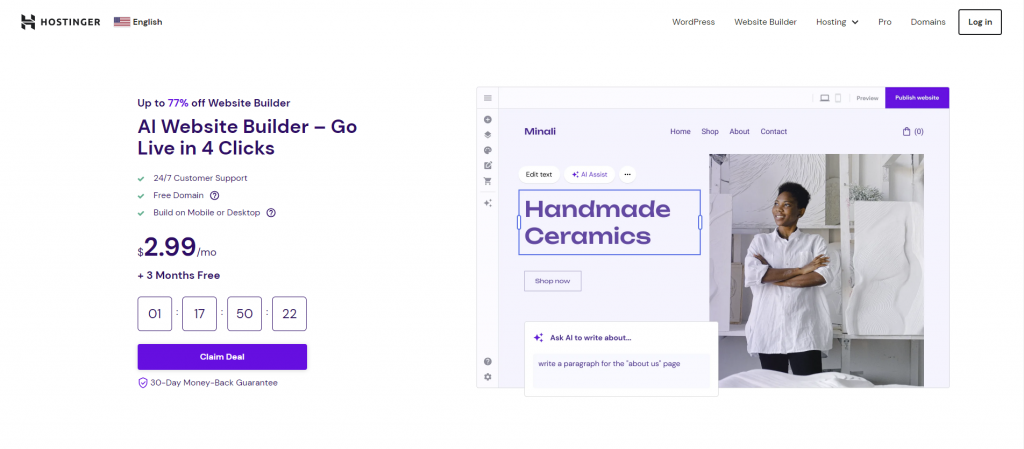
Hostinger offers a website builder for people who don’t want WordPress.
Best for: Simple brochure sites, portfolios, landing pages, and anyone who wants drag-and-drop editing.
Key consideration: Builders are fast and easy, but WordPress usually offers more flexibility and portability if you plan to change hosting providers later.
8) Security, SSL, and backups
Most users care about three basics: SSL, backups, and security tooling.
What you get depends on the plan tier, but commonly:
- SSL is included on many plans
- Backups may be weekly on entry tiers and daily on higher tiers (this is often a major plan differentiator)
- Security tools vary by plan and may include added protections and monitoring
If you’re building anything business-critical, backups are non-negotiable—make sure you know whether your plan includes daily or weekly backups, and how restores work.

What are Hostinger reviews like?
Reviews and user experiences vary by plan level and expectations, but there are consistent themes that come up repeatedly.
What people often praise
1) Value for money
Hostinger is commonly viewed as strong on pricing—especially when you compare what’s included on mid-tier plans.
2) Easy onboarding and dashboard
The interface is frequently mentioned as beginner-friendly, making it easier to launch and manage a website.
3) Good performance for most typical sites
For everyday sites—blogs, business pages, basic WordPress builds—many users find the speed and stability perfectly adequate, particularly on better tiers.
4) Useful bundles
People like not having to bolt together five different services just to get SSL, email, and basic management tools.
What people often criticise
1) Renewal pricing
A very common theme across almost all hosts: initial promotional pricing can be much lower than renewal rates. Hostinger is not unique here, so it’s smart to check renewal costs before committing.
2) Cheapest plans can feel limiting
Entry shared tiers can be constrained for plugin-heavy WordPress sites, busy stores, or fast-growing traffic.
3) Support experiences can vary
Many users report good outcomes, but others note inconsistent response times or depth—especially for advanced technical issues.
How to read reviews properly
- Compare feedback from people on the same plan type you’re considering (shared vs cloud vs VPS).
- Treat “renewal price shock” as a planning issue (you can avoid surprises by checking it upfront).
- Separate site-level problems (heavy plugins, unoptimised images, bloated themes) from host-level issues.
Who is Hostinger best for?
Hostinger is usually a good fit if you want:
- Affordable hosting with a straightforward setup
- WordPress hosting that doesn’t feel intimidating
- A provider that can scale with you (shared → cloud → VPS)
- A clean control panel for managing sites, domains, and email
You might consider alternatives if:
- You require phone support as standard
- You want high-end fully managed WordPress with white-glove support
- You have complex compliance requirements or enterprise infrastructure needs
Hostinger pricing: what to watch for
Host pricing generally works like this:
- You often get the best deal by choosing a longer term
- The intro price can be much lower than the renewal price
- Extras (domains, email, backups) may differ by tier
A practical approach:
- Decide how long you’re comfortable committing (12/24/48 months)
- Check what’s included (backup frequency, email, staging, performance features)
- Factor renewal pricing into your longer-term budget
Hostinger referral: how it works and how much you can save
If you’re ready to buy, a hostinger referral offer can reduce the cost at checkout. With the referral offer mentioned here, you get:
✅ 20% off the best price available
That means the discount stacks onto whatever the current “best available” price is at the time you click through and choose your plan—so it’s especially useful when Hostinger is already running strong pricing.
To use the hostinger referral link and get the offer, go here:https://hostinger.co.uk?REFERRALCODE=G3QIFASR0ZMM
Smart checkout checklist
- Confirm the billing term (monthly vs longer-term)
- Confirm what’s included (SSL, backups, email)
- Verify the renewal price so there are no surprises later
Transparency note: This is a referral link, meaning the referrer may receive a benefit if you purchase through it.
Choosing the right Hostinger plan (quick guide)
- Launching your first site: Shared hosting or WordPress hosting (starter tier)
- Small business site that needs speed: Higher-tier WordPress hosting or cloud hosting
- WooCommerce store / traffic spikes: Cloud hosting (often the safer baseline)
- Developer projects / custom stack / root access: VPS hosting
- Simple site without WordPress: Website builder
If you’re unsure between two options, pick the plan with better backup frequency and more resource headroom—you’ll feel the difference as your site grows.
Final thoughts
Hostinger is popular because it hits a sweet spot: low friction for beginners, enough performance and tooling for most everyday websites, and a clear upgrade path as your needs increase. Reviews often highlight value and ease of use, while the biggest watch-outs are renewal pricing and limitations on the very cheapest tiers.
If you’re going to sign up and want the referral discount, the Hostinger referral offer here gives 20% off the best price available using this link:https://hostinger.co.uk?REFERRALCODE=G3QIFASR0ZMM
